Insider TA's File Entry Panel

Loading Stock Data

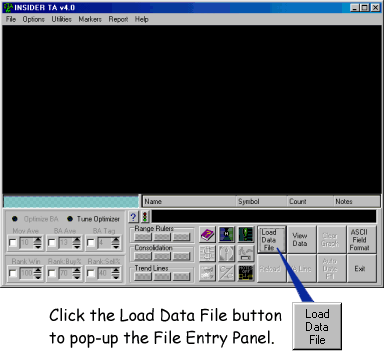
Step 1: Click the Load Data File button:
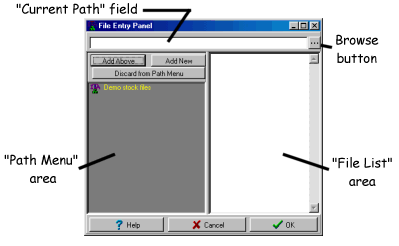
Step 2: Click a path in the Path Menu, or manually key in the desired path in the Current Path Field...


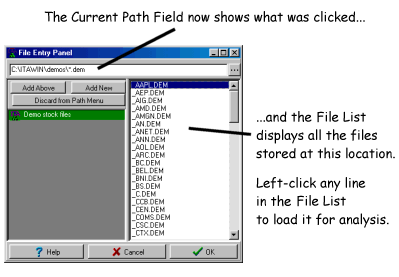
Step 3: Click the desired stock entry in the File List... 
Path Menu

The Path Menu area (the gray area on the left side) is where you can store frequently accessed stock data locations. In the above pictures, there is a single entry labeled "Demo stock files". But you are encouraged to add as many additional entries as you like. Right-click anywhere in the Path Menu to popup additional options.

Home Page  |  Privacy Statement  |  Online Order  |  Internet Update Utility
Support  |  Screen map  |  Data Compatibility  |  User Feedback  |  FAQ's
Demo Download  |  Quickstart Tips  |  STD vs PRO comparison

Search Stock Blocks site for...

Questions or Comments: InsiderTA@stockblocks.com


Copyright ©1995-2008 Stock Blocks, Inc.
P.O. Box 416, North Stonington CT 06359  USA